How to know if a laptop is worth its price in 2026
The complete guide to evaluating a laptop before buying. Learn to decode specs, spot fake deals, and find true value for money.
You found a laptop on sale. The price looks decent, the specs seem fine. But is it actually a good deal, or just clever marketing?
Millions of buyers ask this question every year. And the answer is never simple when you're not a tech expert.
This guide will give you a clear method to evaluate any laptop in 5 minutes.

The problem: nobody really knows what a PC is worth
A retailer shows you a laptop at €1,299 "down from €1,899." Good deal? Impossible to say without comparing the components to real market prices.
The listed price includes:
- The actual cost of components (processor, RAM, storage, display)
- The manufacturer's margin (varies by brand)
- The brand premium (an LG Gram costs more than an Acer with the same specs)
- Premium features (OLED, aluminum chassis, ultra-lightweight)
To know if the price is fair, you need to break it all down.

The 4 key components to check
The processor: the brain
This is the most important component. Here are the 2026 benchmarks:
- Intel Core Ultra 5/7/9 (Arrow Lake, Lunar Lake): the current generation. An Ultra 7 is an excellent all-round choice.
- AMD Ryzen 5/7/9 (Strix Point): Intel's direct competitor, often better on battery life.
- Watch out for old models: a "Core i7" without a generation number could be a 2022 chip sold at 2026 prices.
Always look at the full processor number (e.g. "Core Ultra 7 258V"), not just "i7" or "Ultra 7." The generation changes everything.
The graphics card: visual performance
For office/web use, the integrated graphics chip is enough (Intel Arc Graphics, AMD Radeon integrated).
For gaming or creative work, you need a dedicated card:
- NVIDIA RTX 5060/5070: the 2026 standard
- RTX 4060: still excellent, often cheaper
- AMD RX 7600M: good budget alternative
RAM: everyday smoothness
- 16 GB: the minimum in 2026 to be comfortable
- 32 GB: recommended for heavy multitasking or creative work
- 8 GB: avoid it, you'll hit limits fast
The type matters too: LPDDR5X is faster and more power-efficient than DDR4.
Storage: space and speed
- NVMe SSD: mandatory in 2026, no compromises
- 512 GB: minimum viable
- 1 TB: comfortable
- HDD: if you still see one, run
The method: compare the price to the component value
The principle is simple: add up the market value of each component, add the integration cost (chassis, battery, display, assembly), and compare to the asking price.
If the asking price is close to this sum, it's a fair price. If it's way above, you're paying a surplus — which may be justified (premium brand, ultra-lightweight) or not (excessive margins, fake discount).
"Crossed-out prices" on retail sites are often inflated. A PC listed at "€999 down from €1,499" may have never actually sold at €1,499. Trust the component value, not the crossed-out price.
Common traps
1. The fake discount The "before" price is artificially inflated to create an impression of savings. Check price history on sites like Idealo.
2. The disguised old processor "Intel Core i7" means nothing without the generation. A 12th-gen i7 (2022) is nothing like a 2026 Core Ultra 7.
3. Full HD display on a premium laptop A €1,500 PC should have at least a QHD display. If it's Full HD, the margins are huge.
4. Insufficient storage 256 GB SSD in 2026 is too tight. Many manufacturers use 256 GB to lower the entry price.
5. Non-upgradable soldered RAM On many modern laptops, RAM is soldered. If you go with 8 GB, you're stuck forever.
Automate the analysis with Whataconfig
Everything we just described, Whataconfig does automatically.
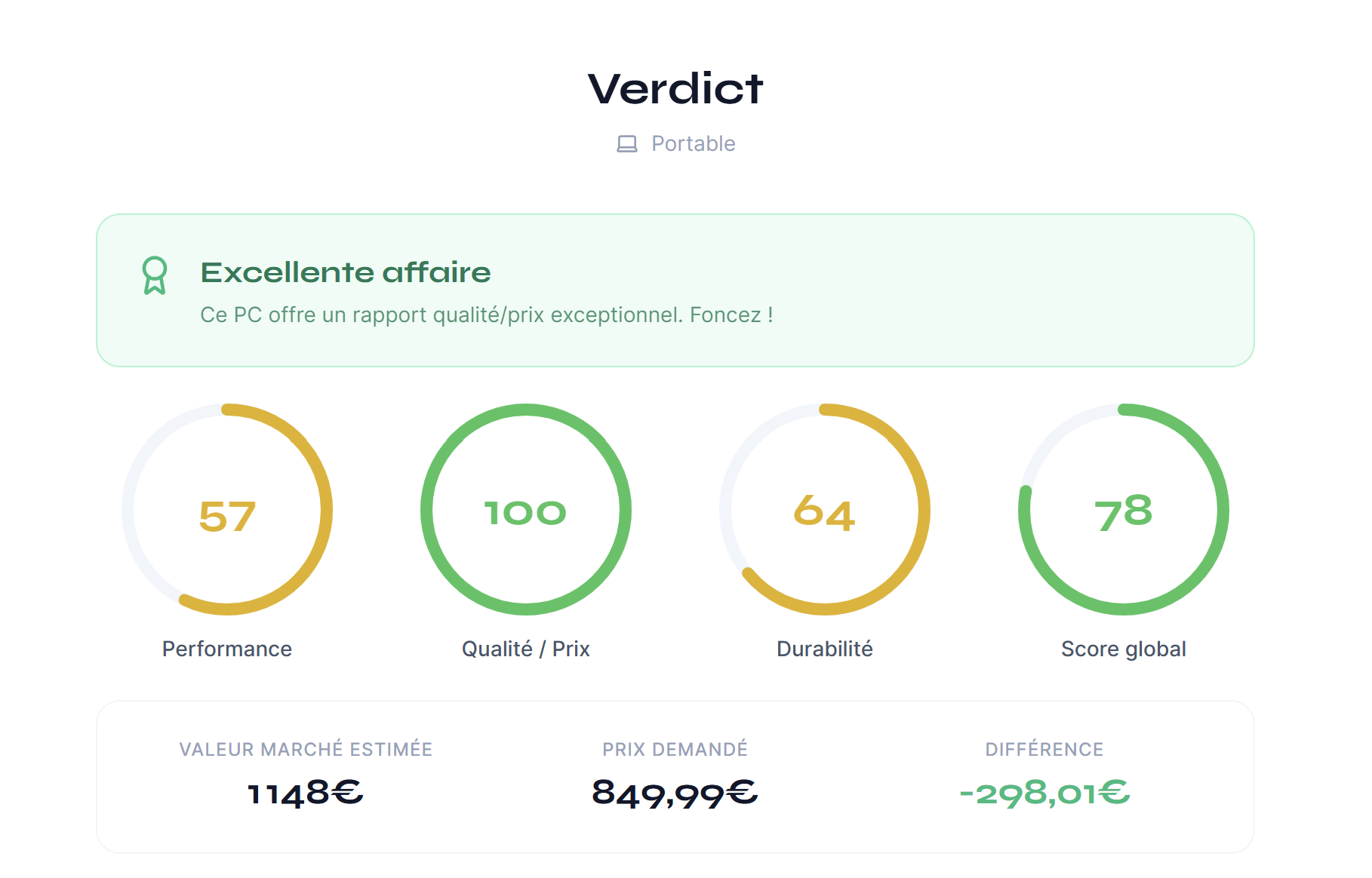
You copy the specs from the manufacturer's website (Lenovo, Dell, HP, Amazon...), paste them into the tool, and in 10 seconds you get:
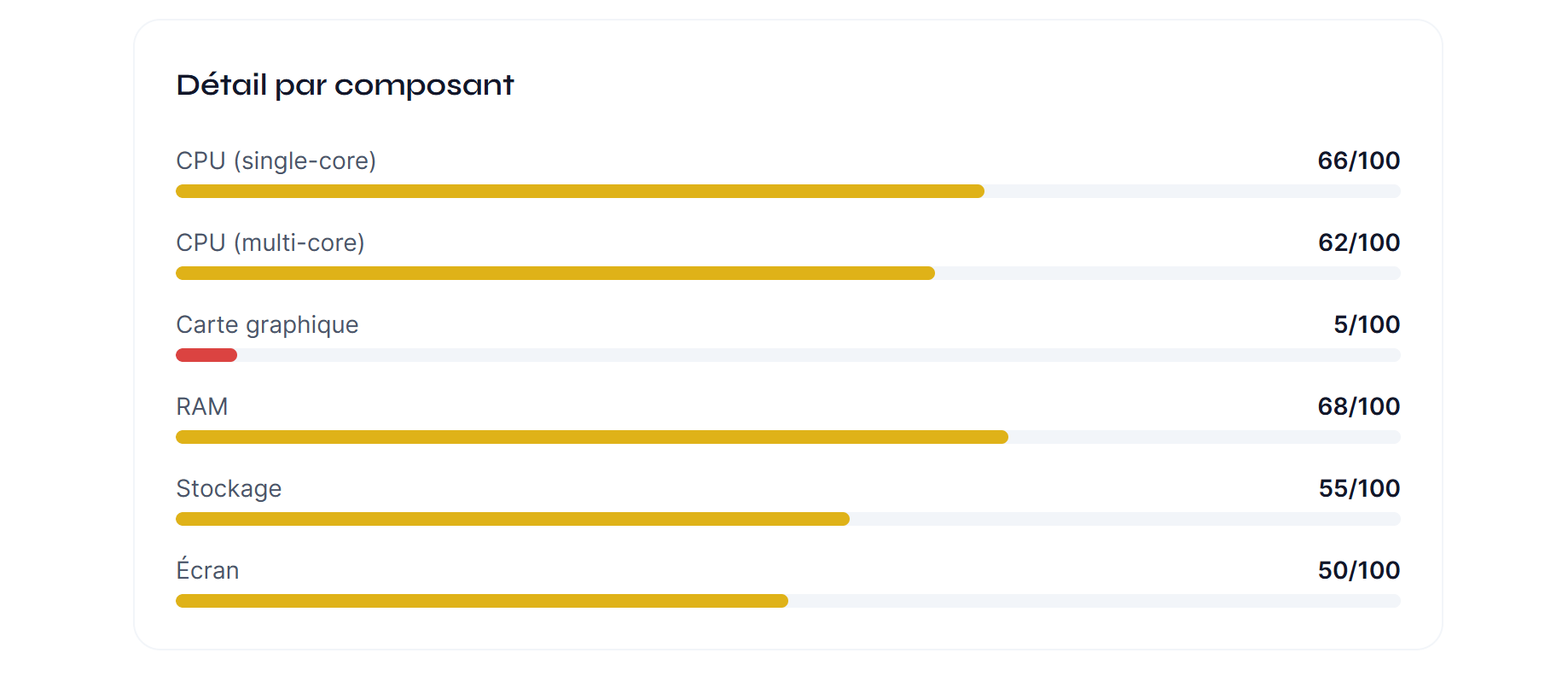
- A performance score based on real component benchmarks
- A value-for-money score comparing the asking price to market value
- A futureproofness score evaluating how long your PC will stay relevant
- A clear verdict: great deal, fair price, or overpriced
Data is updated daily from French retailers.
In summary
Before buying a laptop:
- Identify the 4 key components: processor, GPU, RAM, storage
- Check the generation of each component, not just the marketing name
- Compare the asking price to the real value of components
- Don't trust crossed-out prices and deals that seem too good
- Use Whataconfig to automate the analysis in 10 seconds
The best purchase is an informed purchase.